

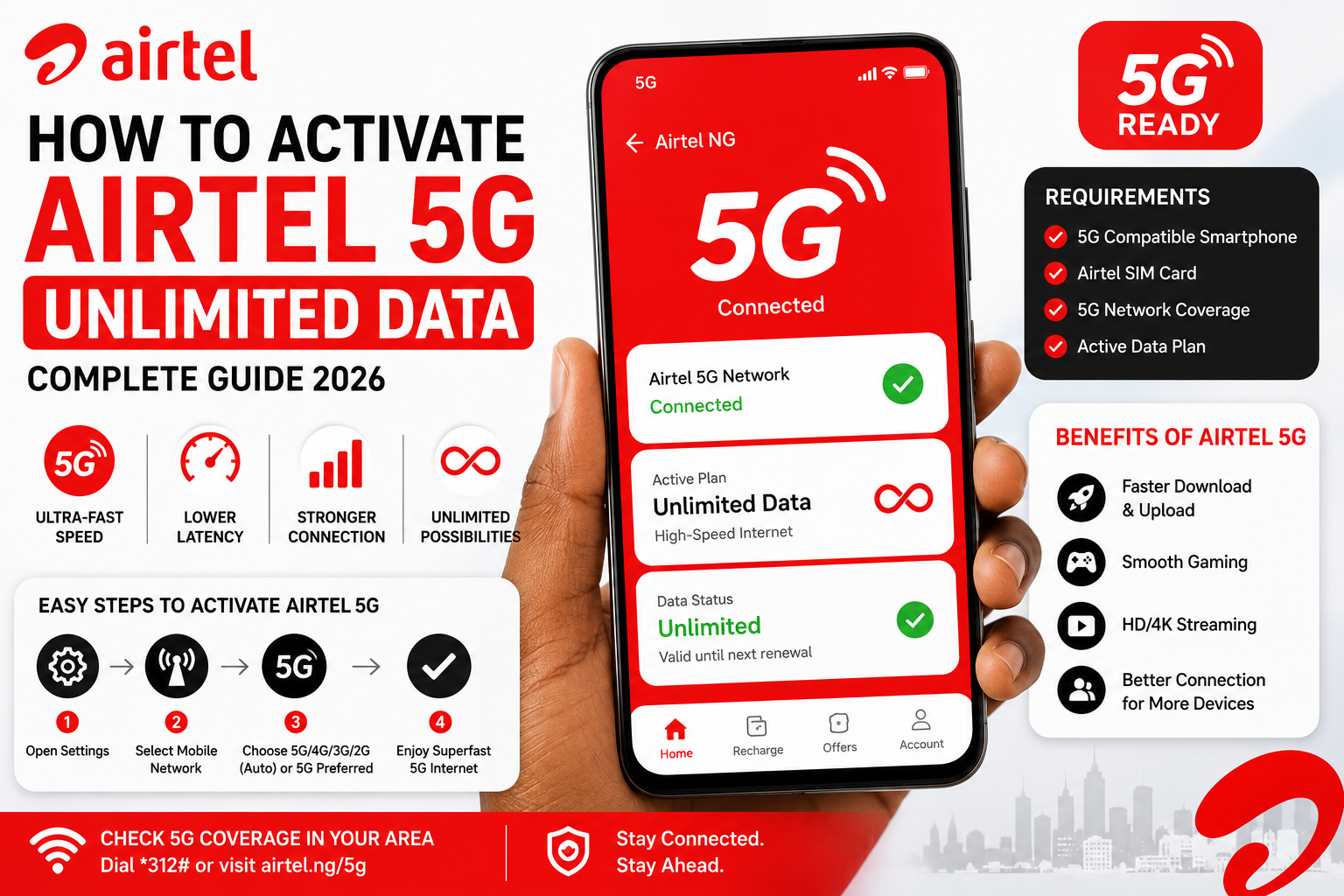
How to Activate Airtel 5G Unlimited Data (Complete Guide)
Introduction
With the expansion of 5G networks, Airtel users can now enjoy faster internet speeds, lower latency, and a smoother online experience for streaming, gaming, remote work, and video calls. If you’re wondering how to activate Airtel 5G and whether unlimited data plans are available, this guide explains everything you need to know.
It’s important to note that 5G availability and data plans vary by country. While Airtel has launched 5G services in several markets, the availability of unlimited 5G plans depends on Airtel’s official offerings in your region. Always verify the latest plans through Airtel’s official channels.
What Is Airtel 5G?
Airtel 5G is the fifth-generation mobile network offered by Airtel. Compared to 4G, it provides:
- Faster download and upload speeds
- Lower latency for gaming and video calls
- Better performance in crowded areas
- Improved support for multiple connected devices
- Smoother HD and 4K streaming
Your actual experience depends on network coverage, device compatibility, and your subscribed data plan.
Is Airtel 5G Available in Nigeria?
Airtel continues to expand its 5G network in supported markets. Availability depends on your city and specific location.
Before attempting to activate 5G, check that:
- Airtel 5G service is available in your area.
- Your smartphone supports 5G.
- Your SIM card is compatible.
- You have an active Airtel data plan.
If your area is not yet covered, your phone will automatically use the available network, such as 4G or LTE.
Requirements to Activate Airtel 5G
To use Airtel 5G successfully, you’ll typically need:
1. A 5G-Compatible Smartphone
Your device must support 5G bands used by Airtel.
Examples include many recent models from:
- Samsung Galaxy
- iPhone
- Google Pixel
- Xiaomi
- OnePlus
- Oppo
- Vivo
- Tecno
- Infinix (selected models)
2. Airtel SIM Card
An active Airtel SIM is required. Older SIM cards may need replacement if they are not compatible with newer network technologies.
3. Airtel Data Plan
You’ll need an active Airtel data subscription. Whether a specific unlimited 5G plan is available depends on Airtel’s current offerings in your country.
4. 5G Network Coverage
You must be within an Airtel 5G coverage area.
READ ALSO: How to Use MTN 5G Fibre in Nigeria: Complete Setup Guide (2026)
Who Can Use Airtel 5G?
Airtel 5G is suitable for:
- Students
- Remote workers
- Freelancers
- Online gamers
- Content creators
- Businesses
- Families with multiple internet users
- Video streamers
Anyone with a compatible device, active SIM, and coverage can benefit from faster connectivity.
How to Check Airtel 5G Coverage
Before activating 5G, verify that the service is available in your area.
You can check by:
- Visiting Airtel’s official website.
- Using the Airtel Thanks app (where available).
- Contacting Airtel customer support.
- Visiting the nearest Airtel service centre.
Coverage continues to expand, so areas without service today may be supported in the future.
How to Activate Airtel 5G on Android
Follow these steps:
Step 1
Open Settings.
Step 2
Tap Network & Internet, Mobile Network, or Connections (the name varies by device).
Step 3
Select your Airtel SIM.
Step 4
Tap Preferred Network Type or Network Mode.
Step 5
Choose one of the following options if available:
- 5G/4G/3G/2G (Auto)
- 5G Preferred
- 5G Auto
Your phone will connect to 5G automatically whenever coverage is available.
How to Activate Airtel 5G on iPhone
If your iPhone supports 5G:
- Open Settings.
- Tap Cellular or Mobile Data.
- Select Cellular Data Options.
- Tap Voice & Data.
- Choose:
- 5G Auto
- 5G On (if appropriate for your usage)
Once enabled, your iPhone will connect to Airtel’s 5G network whenever it is available.
How to Subscribe to Airtel Data Plans
Airtel typically provides several ways to purchase data plans.
You can subscribe through:
- The Airtel mobile app
- USSD codes provided by Airtel
- Airtel’s official website
- Authorized Airtel retailers
Before purchasing a plan, confirm whether it supports 5G usage and review any applicable fair usage policies.
Tips to Get the Best Airtel 5G Speeds
For the best performance:
- Stay within a confirmed 5G coverage area.
- Keep your phone software updated.
- Use a modern 5G-compatible device.
- Avoid physical obstructions that weaken signal strength.
- Restart your phone occasionally.
- Ensure your SIM card is functioning properly.
- Avoid heavy background downloads when speed is important.
Following these practices can improve your browsing, streaming, and gaming experience.
Airtel 5G Data Plans
Airtel offers a variety of data plans that are compatible with its 5G network where coverage is available. The available plans, data limits, validity periods, and pricing vary by country and may change over time.
Before subscribing, consider the following:
- Check the latest Airtel data plans through the official Airtel website or mobile app.
- Confirm whether your chosen plan can be used on the 5G network.
- Review any Fair Usage Policy (FUP) that may apply.
- Verify whether Airtel currently offers unlimited 5G plans in your country. In some regions, Airtel may only offer high-capacity data bundles rather than truly unlimited data.
Choosing the right plan depends on your monthly data usage, number of connected devices, and internet activities.
Common Airtel 5G Problems and Solutions
Although Airtel 5G generally provides reliable connectivity, users may occasionally experience issues.
| Problem | Possible Cause | Solution |
|---|---|---|
| 5G not showing | Outside coverage area | Move to a supported location and check Airtel’s coverage map. |
| Slow internet | Network congestion | Try again during off-peak hours or restart your phone. |
| Phone stays on 4G | 5G disabled | Enable 5G in your device’s network settings. |
| SIM not working with 5G | Older SIM card | Visit an Airtel store to confirm whether a SIM replacement is required. |
| Frequent disconnections | Weak signal | Move to an open area or closer to a window. |
If the issue continues, contact Airtel customer support for assistance.
Airtel 5G vs. MTN 5G
Choosing between Airtel and MTN depends on coverage, pricing, and network performance in your area.
| Feature | Airtel 5G | MTN 5G |
|---|---|---|
| Network Technology | 5G | 5G |
| Coverage | Available in selected locations | Available in selected locations |
| Speed | Depends on coverage and congestion | Depends on coverage and congestion |
| Compatible Devices | 5G-supported smartphones | 5G-supported smartphones |
| Best For | Streaming, gaming, remote work | Streaming, gaming, home broadband |
Before choosing a network, compare coverage and available data plans in your city.
Pros and Cons
Pros
- Significantly faster than 4G in supported areas.
- Lower latency for gaming and video calls.
- Better performance for HD and 4K streaming.
- Supports modern 5G smartphones.
- Suitable for remote work and online learning.
- Easy to activate on compatible devices.
Cons
- Coverage is still expanding.
- Requires a 5G-compatible phone.
- Performance depends on signal strength.
- Data plans and pricing vary by region.
- Unlimited plans may not be available in every market.
Best Alternatives
If Airtel 5G is unavailable in your location, consider these alternatives:
- MTN 5G – Offers expanding 5G coverage and home broadband options.
- Glo – Provides competitive mobile data plans where available.
- 9mobile – Suitable in areas with strong network coverage.
- Spectranet – Fixed wireless broadband for homes and businesses.
- FibreOne – Fibre-to-the-home internet in selected Nigerian cities.
Compare network availability, pricing, customer support, and speeds before making a decision.
Expert Opinion
Airtel 5G is a solid choice for users seeking faster mobile internet for work, entertainment, and communication. If you have a compatible smartphone and live in a covered area, enabling 5G can noticeably improve your online experience.
However, don’t assume that every Airtel data plan is unlimited. Always verify the latest plans, pricing, and coverage through Airtel’s official channels before subscribing.
Conclusion
Activating Airtel 5G is straightforward once you have a compatible smartphone, an active Airtel SIM, and access to a supported coverage area. By enabling 5G in your device settings and subscribing to an appropriate data plan, you can enjoy faster downloads, smoother streaming, lower latency, and a better overall internet experience.
Since Airtel’s 5G network and data plans continue to evolve, regularly checking official updates will help you stay informed about new coverage areas, plan changes, and promotional offers.
READ ALSO: How to Use the Cleva App and Requirements (Complete Beginner’s Guide 2026)
Frequently Asked Questions
1. How do I activate Airtel 5G?
Enable 5G in your phone’s network settings, ensure you have an active Airtel SIM, a compatible device, and are within a 5G coverage area.
2. Does Airtel offer unlimited 5G data?
Availability of unlimited 5G plans depends on your country. Check Airtel’s official website or app for the latest offerings.
3. Do I need a new SIM card for Airtel 5G?
Most recent Airtel SIM cards support 5G, but older SIMs may require replacement. Visit an Airtel store if you’re unsure.
4. Why is my phone showing 4G instead of 5G?
Possible reasons include lack of 5G coverage, disabled 5G settings, an incompatible phone, or an unsupported SIM.
5. Is Airtel 5G faster than 4G?
Yes. In supported areas, 5G generally offers faster speeds, lower latency, and improved network performance compared to 4G.
6. Can I use Airtel 5G for gaming?
Yes. Lower latency makes 5G suitable for online gaming, provided you have a strong network signal.
7. Does Airtel charge extra for using 5G?
Using the 5G network itself may not require an additional activation fee, but you’ll need an active compatible data plan. Confirm current terms with Airtel.
8. Can I use Airtel 5G on an iPhone?
Yes. Compatible iPhone models support Airtel 5G when the feature is enabled and coverage is available.
9. How can I improve my Airtel 5G signal?
Stay within a coverage area, keep your device updated, avoid obstructions, and move to locations with stronger signal reception.
10. Where can I check Airtel’s latest 5G plans?
Visit the official Airtel website, use the Airtel mobile app, or contact Airtel customer support for the latest information.

Comments are closed.