

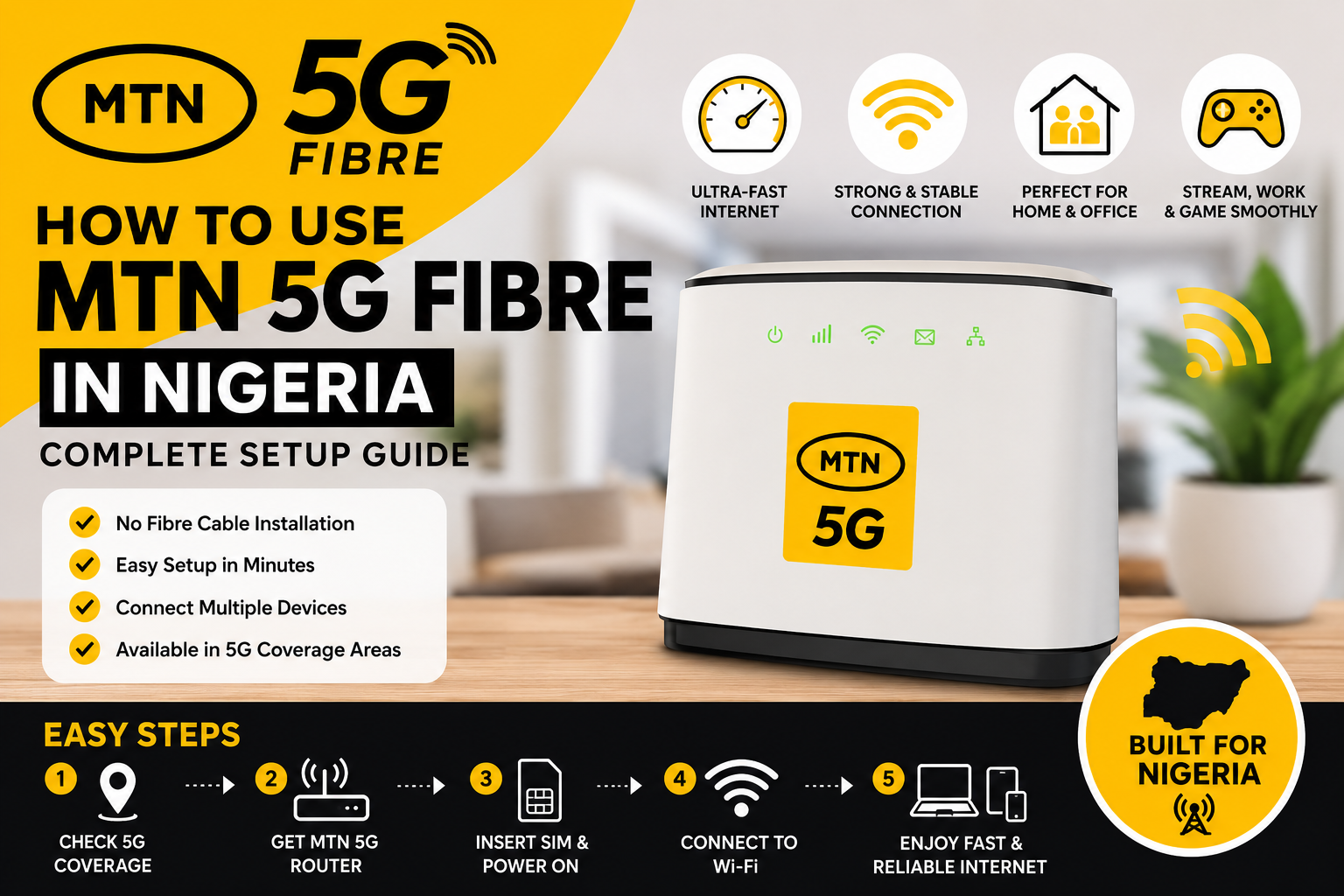
How to Use MTN 5G Fibre in Nigeria (Complete Beginner’s Guide)
Fast and reliable internet has become essential for remote work, online learning, video streaming, gaming, and running digital businesses. To meet the growing demand for high-speed connectivity, MTN Nigeria introduced MTN 5G Fibre, a home broadband solution that combines the speed of 5G technology with a dedicated wireless router.
Unlike traditional fibre-to-the-home (FTTH), MTN 5G Fibre uses the MTN 5G network to deliver broadband internet without requiring fibre cables to be installed directly into your home.
In this guide, you’ll learn how MTN 5G Fibre works, the requirements to get started, how to set it up, and tips for getting the best internet performance.
What Is MTN 5G Fibre?
MTN 5G Fibre is a fixed wireless broadband service that uses MTN’s 5G network to provide high-speed internet access to homes and businesses.
Instead of connecting your home with underground fibre cables, MTN supplies a compatible 5G router that receives internet through nearby 5G base stations and distributes it via Wi-Fi or Ethernet.
It’s designed for users who need reliable broadband for:
- Streaming HD and 4K videos
- Online gaming
- Video conferencing
- Remote work
- Smart home devices
- Multiple connected users
How MTN 5G Fibre Works
The service uses MTN’s 5G mobile network to provide internet connectivity.
Here’s how it works:
- You subscribe to an eligible MTN 5G Fibre plan.
- You receive a compatible 5G router.
- The router connects to the nearest MTN 5G tower.
- The router creates a Wi-Fi network for your home or office.
- Multiple devices can connect simultaneously.
Unlike mobile hotspots, the dedicated router is designed to provide stronger coverage and support more connected devices.
Requirements to Use MTN 5G Fibre
Before subscribing, make sure you meet the following requirements.
1. MTN 5G Coverage
Your location must be within an area where MTN has deployed 5G service.
2. Compatible MTN 5G Router
You’ll need an approved MTN 5G router provided or supported by MTN.
3. Active Subscription
You must subscribe to one of MTN’s available 5G Fibre broadband plans.
4. Stable Power Supply
The router requires continuous power to operate.
5. Valid Registration Details
Depending on MTN’s requirements, you may need:
- A valid phone number
- National Identification Number (NIN)
- SIM registration details
- Other customer verification information
Who Can Use MTN 5G Fibre?
MTN 5G Fibre is suitable for:
- Families
- Students
- Freelancers
- Remote workers
- Small businesses
- Content creators
- Gamers
- Small offices
It is especially useful for households with multiple internet users connected at the same time.
Coverage and Availability in Nigeria
MTN 5G Fibre is not yet available nationwide.
Availability depends on:
- Your city
- Your neighbourhood
- Existing MTN 5G infrastructure
- Network expansion plans
Major urban centres are generally more likely to have coverage than rural locations. Since MTN continues expanding its 5G network, availability may improve over time.
How to Check MTN 5G Fibre Availability
Before purchasing a router or subscription, verify that the service is available at your address.
You can do this by:
- Visiting the MTN Nigeria website.
- Contacting MTN customer support.
- Visiting a nearby MTN service centre.
- Using any official MTN coverage checker if available.
Checking first helps avoid purchasing equipment for an unsupported location.
READ ALSO: How to Redeem an Amazon Gift Card to a Bank Account (Safe & Legal Guide)
How to Register for MTN 5G Fibre
The registration process is straightforward.
Step 1: Confirm Coverage
Ensure your address falls within an MTN 5G service area.
Step 2: Obtain a Compatible Router
Purchase or receive an approved MTN 5G router through an authorised MTN channel.
Step 3: Register Your Service
Provide any required customer information and complete any verification steps.
Step 4: Choose a Broadband Plan
Select a data plan that matches your household or business needs.
Step 5: Activate Your Router
Follow the setup instructions provided with the router to activate your internet service.
How to Set Up the MTN 5G Fibre Router
Most users can complete the installation in a few minutes.
Position the Router Correctly
Place the router:
- Near a window if possible.
- On a raised surface.
- Away from thick concrete walls.
- Away from large metal objects.
- In an open area for better signal distribution.
Connect the Power
Plug the router into a stable power source.
Wait for the device to boot completely.
Connect Your Devices
You can connect:
- Smartphones
- Laptops
- Smart TVs
- Tablets
- Gaming consoles
- Desktop computers (using Ethernet if supported)
Use the Wi-Fi name and password printed on the router or provided during setup.
Tips to Get the Best Internet Speeds
Even with a fast network, your setup can affect performance.
Follow these tips:
- Place the router in a central location.
- Keep it away from electronic interference.
- Restart the router occasionally.
- Limit unnecessary background downloads.
- Update the router firmware when updates are available.
- Connect high-priority devices via Ethernet where possible.
- Avoid overcrowding the network with too many connected devices.
These simple adjustments can improve signal strength and overall browsing experience.
MTN 5G Fibre Plans
MTN offers different broadband plans designed to meet varying internet needs, from light browsing to heavy streaming and business use. The available plans, data allowances, and pricing may change over time.
Before subscribing:
- Compare available data plans.
- Check whether the plan has a validity period.
- Review any fair usage policy (if applicable).
- Confirm the latest pricing through MTN’s official website or customer service.
Choosing the right plan depends on how many people will use the connection and the types of online activities you perform.
How to Renew Your MTN 5G Fibre Subscription
Renewing your subscription is simple.
Option 1: MyMTN App
If your router is linked to your MTN account, you can purchase or renew your broadband plan through the MyMTN App.
Option 2: MTN Website
Log in to your MTN account and select a suitable broadband plan.
Option 3: USSD or Customer Support
Depending on MTN’s current services, some subscriptions can be renewed using USSD codes or by visiting an MTN Service Centre.
Always ensure your subscription is active to avoid interruptions.
Common Problems and How to Fix Them
Even with a reliable network, you may occasionally experience issues.
| Problem | Possible Cause | Solution |
|---|---|---|
| Slow internet | Weak 5G signal | Move the router closer to a window or higher location. |
| No connection | Network outage | Check MTN’s service status or contact customer support. |
| Devices won’t connect | Incorrect Wi-Fi password | Re-enter the correct password or reset the router. |
| Frequent disconnections | Router overheating | Place the router in a cool, ventilated area. |
| Weak Wi-Fi coverage | Poor router placement | Position the router centrally in your home or office. |
If problems persist after basic troubleshooting, contact MTN support for further assistance.
MTN 5G Fibre vs. Traditional Fibre Broadband
Both services provide high-speed internet, but they work differently.
| Feature | MTN 5G Fibre | Traditional Fibre (FTTH) |
|---|---|---|
| Installation | Wireless router | Fibre cable installation |
| Mobility | Router can be relocated within coverage | Fixed to installed address |
| Setup Time | Usually faster | May require technician installation |
| Availability | Limited to MTN 5G coverage | Limited to fibre-enabled locations |
| Performance | Depends on 5G signal quality | Generally consistent due to physical fibre connection |
If fibre cables are unavailable in your area but MTN 5G coverage exists, MTN 5G Fibre can be an excellent alternative.
Pros and Cons
Pros
- Fast broadband speeds in supported areas.
- No fibre cable installation required.
- Easy setup process.
- Supports multiple connected devices.
- Suitable for streaming, gaming, and remote work.
- Flexible wireless connectivity.
Cons
- Available only in selected locations.
- Performance depends on 5G signal strength.
- Requires a compatible router.
- Internet quality may vary during network congestion.
- Subscription costs vary depending on the selected plan.
Best Alternatives in Nigeria
If MTN 5G Fibre is unavailable in your area, consider these broadband providers:
- Airtel Home Broadband – Available in selected locations with competitive home internet plans.
- Spectranet – Offers fixed wireless broadband in several Nigerian cities.
- Smile Communications – Provides wireless broadband services where coverage is available.
- FibreOne – Offers fibre-to-the-home (FTTH) internet in supported areas.
- ipNX – Known for fibre broadband services in selected cities.
Before choosing a provider, compare:
- Coverage in your location
- Monthly subscription costs
- Data allowances
- Installation requirements
- Customer support quality
Expert Opinion
MTN 5G Fibre is a strong option for users who need reliable home or office internet without waiting for traditional fibre installation. Its wireless setup, support for multiple devices, and high-speed connectivity make it attractive for remote workers, students, gamers, and households with heavy internet usage.
However, your experience depends largely on network coverage and signal quality. Before purchasing a router or subscription, confirm that MTN 5G service is available at your address and review the latest broadband plans to choose one that fits your needs.
READ ALSO: How to Use the Cleva App and Requirements (Complete Beginner’s Guide 2026)
Conclusion
MTN 5G Fibre offers a convenient way to enjoy high-speed broadband without the need for physical fibre cables. If you live in a supported area, the service can provide a dependable internet connection for work, study, entertainment, and smart home devices.
Before subscribing, verify coverage, choose the right plan, position your router correctly, and follow the optimization tips in this guide. Doing so will help you get the best possible performance from your MTN 5G Fibre connection.
Frequently Asked Questions
1. What is MTN 5G Fibre?
MTN 5G Fibre is a fixed wireless broadband service that uses MTN’s 5G network to deliver high-speed internet through a compatible router.
2. Is MTN 5G Fibre available across Nigeria?
No. The service is currently available only in selected areas with MTN 5G network coverage.
3. Do I need a fibre cable installed?
No. MTN 5G Fibre uses wireless 5G technology, so no fibre cable installation is required at your premises.
4. Can I move my MTN 5G router?
The router can generally be moved, but it will only function effectively within areas covered by MTN’s 5G network and subject to the service terms.
5. How many devices can connect?
The number depends on your router’s specifications, but most home routers support multiple smartphones, laptops, smart TVs, and other connected devices.
6. Is MTN 5G Fibre good for gaming?
Yes. A stable 5G connection can support online gaming, though performance depends on signal quality, network conditions, and your chosen plan.
7. What happens if there’s no 5G coverage in my area?
You won’t be able to use MTN 5G Fibre until the service becomes available in your location. Consider alternative broadband providers in the meantime.
8. How do I improve my Wi-Fi signal?
Place the router in a central, elevated location, away from thick walls and electronic interference, and keep the firmware updated if updates are available.
9. Can I use MTN 5G Fibre for remote work?
Yes. It is suitable for video conferencing, cloud-based applications, large file uploads, and other remote work tasks, provided you have a stable connection.
10. Where can I get the latest MTN 5G Fibre plans?
Visit the official MTN Nigeria website, use the MyMTN App, or contact MTN customer support for the latest plan information and pricing.

Comments are closed.