

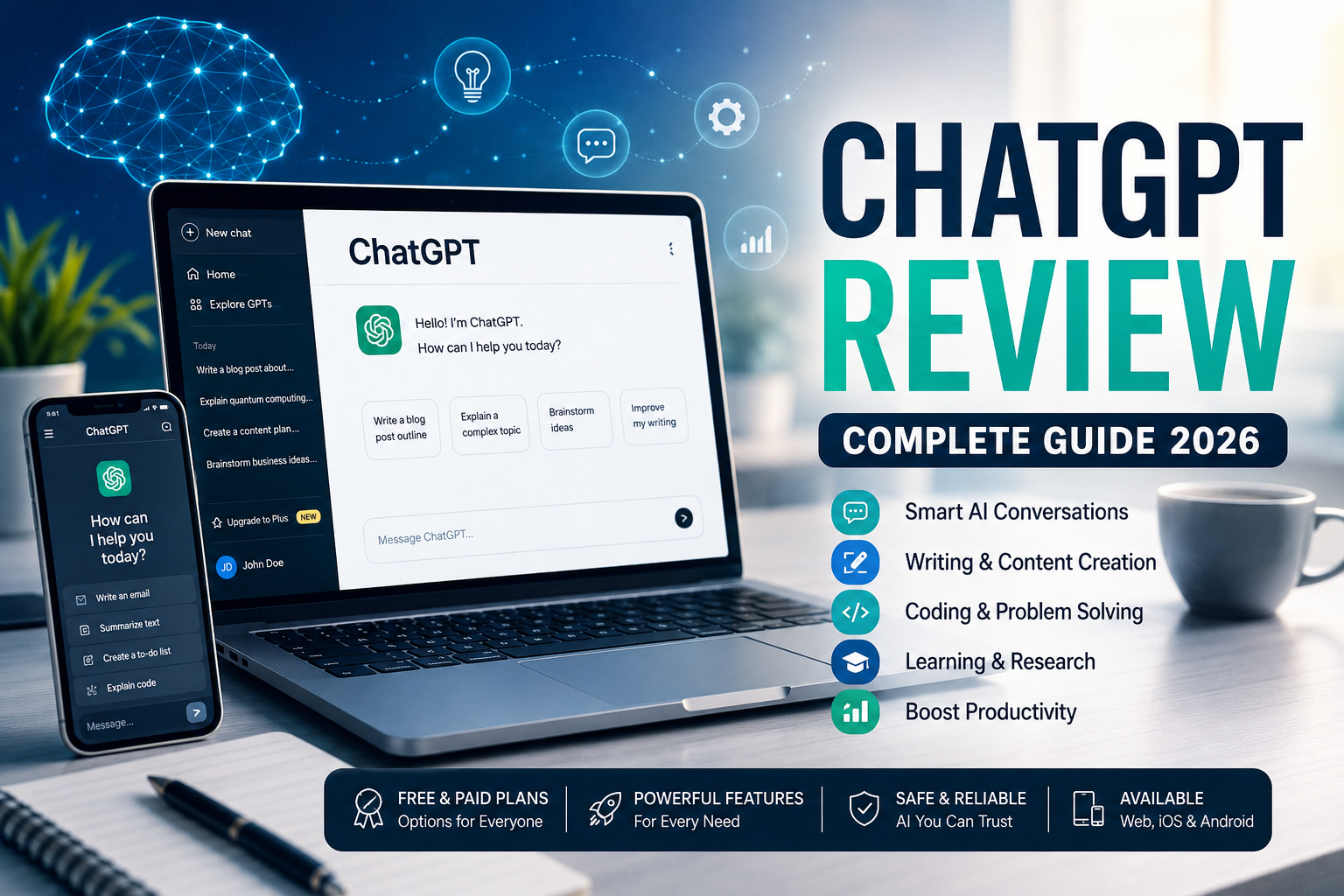
OpenAI ChatGPT Review (2026): Features, Pricing, Safety, Pros & Cons
Introduction
Artificial intelligence has quickly become part of everyday life, helping people write emails, brainstorm ideas, learn new skills, analyze data, and automate repetitive tasks. Among the many AI tools available today, ChatGPT has become one of the most widely recognized conversational AI assistants.
Developed by OpenAI, ChatGPT can answer questions, explain complex topics, generate content, write code, summarize documents, translate languages, and assist with countless personal and professional tasks. Since its public launch, it has attracted hundreds of millions of users worldwide, making it one of the fastest-growing consumer technology products.
But with so many AI chatbots now available, many people ask:
- Is ChatGPT worth using?
- Is it safe?
- Does the free version provide enough features?
- Can users in Nigeria access it?
- Is ChatGPT better than other AI assistants?
This guide answers these questions with an objective, research-based review to help you decide whether ChatGPT is the right AI assistant for your needs.
What Is ChatGPT?
ChatGPT is an AI-powered conversational assistant created by OpenAI. It uses advanced large language models (LLMs) trained on diverse text sources to understand natural language and generate human-like responses.
Rather than simply searching the web for answers, ChatGPT predicts and generates text based on the information you provide, allowing it to assist with conversations, writing, coding, learning, research, and creative projects.
Today, ChatGPT is used by:
- Students
- Teachers
- Software developers
- Content creators
- Researchers
- Business professionals
- Customer support teams
- Freelancers
- Entrepreneurs
- Everyday internet users
Unlike traditional search engines, ChatGPT can hold conversations, remember context within a chat, and help refine responses through follow-up questions.
READ ALSO: How to Use Google Pay on Android and iPhone (Complete Beginner’s Guide)
Company Overview
| Information | Details |
|---|---|
| Company | OpenAI |
| Product | ChatGPT |
| Industry | Artificial Intelligence |
| Founded | 2015 |
| Headquarters | San Francisco, California, USA |
| Founder(s) | Sam Altman, Elon Musk, Greg Brockman, Ilya Sutskever, Wojciech Zaremba and others |
| Website | https://chatgpt.com |
| Registration | Free account available |
| Mobile App | Android and iOS |
| Desktop App | Available for supported operating systems |
How Does ChatGPT Work?
ChatGPT is powered by large language models trained to recognize patterns in language. When you ask a question or provide instructions (known as a prompt), the AI analyzes the request and generates a response based on its training and, where applicable, additional tools or connected data sources.
Although ChatGPT often produces highly useful responses, it is not infallible. Like any AI system, it can occasionally make mistakes, misunderstand context, or provide incomplete information. For important decisions involving health, finance, legal matters, or safety, users should verify information using authoritative sources.
Key Features of ChatGPT
ChatGPT offers a wide range of capabilities that make it useful for both personal and professional tasks.
1. Writing Assistance
ChatGPT can help users:
- Draft emails
- Write blog posts
- Generate reports
- Create resumes
- Rewrite content
- Improve grammar
- Summarize long documents
This makes it useful for writers, students, marketers, and business professionals.
2. Coding Support
Developers use ChatGPT to:
- Explain programming concepts
- Generate sample code
- Debug errors
- Review scripts
- Learn new programming languages
While it can accelerate development, generated code should always be tested before deployment.
3. Learning and Research
Students and lifelong learners can use ChatGPT to:
- Explain difficult concepts
- Create study notes
- Generate quizzes
- Practice interview questions
- Learn mathematics
- Understand scientific topics
- Explore historical events
It works best as a learning companion rather than a replacement for textbooks or expert instruction.
4. Brainstorming Ideas
Many professionals use ChatGPT for:
- Business ideas
- Marketing campaigns
- Product names
- Social media content
- Presentation outlines
- Creative writing prompts
Because it can generate multiple ideas quickly, it is often used during the early stages of planning.
5. Data Analysis
Depending on the plan and available tools, ChatGPT can assist with:
- Spreadsheet analysis
- Data interpretation
- Report generation
- Chart explanations
- Trend summaries
This can save time when working with structured datasets.
6. Language Translation
ChatGPT supports many major languages and can:
- Translate text
- Improve translations
- Explain grammar
- Assist language learners
- Adapt writing for different audiences
For highly sensitive or official documents, professional translation services remain the safer option.
Who Can Use ChatGPT?
ChatGPT is suitable for a broad range of users, including:
Students
- Homework assistance
- Essay planning
- Revision support
- Exam preparation
Professionals
- Business communication
- Meeting summaries
- Report writing
- Productivity assistance
Developers
- Code generation
- Debugging
- Documentation
- Learning new frameworks
Content Creators
- Article outlines
- Video scripts
- SEO ideas
- Social media captions
Small Business Owners
- Marketing copy
- Customer communication
- Product descriptions
- Business planning
Supported Countries
ChatGPT is officially available in a large number of countries and territories worldwide. Availability may change over time due to local regulations or service updates.
Users should check OpenAI’s official availability information for the most current list of supported regions.
Can Nigerians Use ChatGPT?
Yes. Users in Nigeria can access ChatGPT, create an account, and use both the free and eligible paid plans, subject to OpenAI’s current availability and payment support.
Many Nigerians use ChatGPT for:
- Academic research
- Programming
- Freelancing
- Content writing
- Digital marketing
- Business planning
- Resume writing
- Learning new skills
Availability of certain payment methods or subscription options may vary over time, so users should confirm the latest information during checkout.
How to Create a ChatGPT Account
Creating an account is straightforward.
Step 1
Visit the official ChatGPT website or install the official mobile app.
Step 2
Click Sign Up.
Step 3
Register using:
- Email address
- Google account
- Apple account (where supported)
Step 4
Verify your account if prompted.
Step 5
Complete your profile and begin chatting with the AI assistant.
New users can immediately start using the free version without needing advanced technical knowledge.
ChatGPT Pricing
OpenAI offers multiple subscription options designed for different types of users. Plans and pricing may change over time, so it’s always best to check the official pricing page for the latest information.
| Plan | Best For | Cost |
|---|---|---|
| Free | Casual users | Free |
| Plus | Individual power users | Monthly subscription |
| Pro | Heavy professional users | Higher monthly subscription |
| Team | Businesses and collaborative work | Per-user subscription |
| Enterprise | Large organizations | Custom pricing |
Each paid plan includes different usage limits and features. Higher-tier plans generally provide access to more advanced AI models, increased message limits, faster performance during peak usage, and additional productivity tools.
Free vs Paid ChatGPT
| Feature | Free | Paid Plans |
|---|---|---|
| Basic AI access | ✅ | ✅ |
| Faster response times | Limited | Yes |
| Higher usage limits | No | Yes |
| Advanced models | Limited availability | Greater access |
| Additional productivity features | Limited | Yes |
For occasional users, the free version is often sufficient. Professionals who rely on ChatGPT daily may benefit from one of the paid subscriptions because of higher limits and access to additional capabilities.
Is ChatGPT Safe?
For most users, ChatGPT is generally safe to use when used responsibly and with an understanding of its limitations. OpenAI includes security measures and moderation systems designed to reduce harmful or inappropriate outputs, but no AI system is perfect.
Like any online service, users should avoid sharing sensitive personal information such as:
- Passwords
- Banking details
- Government-issued identification numbers
- Medical records
- Confidential business information
- Private legal documents
Even though ChatGPT can help draft or analyze sensitive content, it’s best practice to remove personal identifiers before sharing text with any AI tool.
Important: ChatGPT is an AI assistant, not a licensed doctor, lawyer, accountant, or financial adviser. Always verify important advice with qualified professionals or official sources.
Privacy and Data Considerations
Privacy is an important consideration when using AI services.
OpenAI provides users with controls over their accounts and, depending on the plan and settings, options related to chat history and model training. These settings may change over time, so it’s worth reviewing your account preferences periodically.
Here are a few good privacy habits:
- Review your account’s privacy settings.
- Avoid uploading confidential documents unless necessary.
- Double-check AI-generated information before relying on it.
- Keep your login credentials secure.
- Log out when using shared or public computers.
These simple practices help reduce privacy risks regardless of which AI assistant you use.
User Experience
One of ChatGPT’s biggest strengths is its ease of use. The interface is clean, conversational, and accessible even to people with little technical experience.
Most users can start asking questions immediately after signing in. Conversations are organized into chat threads, making it easy to revisit previous discussions or continue ongoing projects.
Users commonly praise ChatGPT for:
- Fast responses
- Easy-to-understand explanations
- Support for a wide range of topics
- Helpful writing assistance
- Strong coding and debugging capabilities
- Availability across web and mobile devices
However, users also report a few common frustrations:
- Responses can occasionally contain factual errors.
- Very complex prompts may require refinement.
- Usage limits may apply, especially during periods of high demand.
- Some advanced capabilities are only available on paid plans.
Overall, ChatGPT offers one of the most polished user experiences among mainstream AI assistants, particularly for general productivity and everyday tasks.
Advantages and Disadvantages
| Advantages | Disadvantages |
|---|---|
| Easy for beginners to use | Can occasionally generate incorrect information |
| Free plan available | Some advanced features require a subscription |
| Supports many languages | May not always provide up-to-date information without relevant tools |
| Excellent writing assistance | Cannot replace professional advice in specialized fields |
| Helpful for coding and learning | Responses should be fact-checked for important decisions |
| Available on web and mobile | Usage limits may vary by plan |
Common Mistakes to Avoid
Many first-time users expect ChatGPT to provide perfect answers every time. Understanding its limitations can help you get better results.
Avoid these common mistakes:
- Treating every response as factual. Verify important information with reliable sources.
- Using vague prompts. Clear, specific instructions usually produce better answers.
- Sharing confidential information. Keep personal and business-sensitive data private.
- Ignoring follow-up questions. Refining your prompts often improves the quality of responses.
- Depending solely on AI. Use ChatGPT as a productivity tool, not your only source of information.
Tips to Get Better Results
To make the most of ChatGPT:
- Be specific about what you want.
- Include relevant context in your prompt.
- Break large tasks into smaller steps.
- Ask ChatGPT to explain its reasoning or simplify technical concepts.
- Request revisions if the first response isn’t exactly what you need.
- Verify important facts before publishing or making decisions.
For example, instead of asking:
“Write an article.”
Try:
“Write a 1,000-word beginner-friendly article comparing fiber internet and satellite internet for Nigerian households, including a comparison table and FAQs.”
The additional detail helps the AI produce more relevant and useful results.
Best ChatGPT Alternatives
Several AI assistants offer features similar to ChatGPT. The best choice depends on your needs, workflow, and preferred ecosystem.
| AI Assistant | Best For | Notable Strength |
|---|---|---|
| Google Gemini | Google Workspace users | Strong integration with Google services |
| Microsoft Copilot | Microsoft 365 users | Office productivity and enterprise integration |
| Anthropic Claude | Long-form writing | Large context window and document analysis |
| Perplexity AI | Research | Answers with cited web sources |
| Meta AI | Social platforms | Integration with Meta apps |
Each platform has different strengths, so many professionals use more than one AI assistant depending on the task.
Expert Opinion
After evaluating ChatGPT’s capabilities, feature set, accessibility, and practical use cases, it stands out as one of the most versatile AI assistants available today.
Its greatest strengths are ease of use, broad functionality, and continuous improvement. Whether you’re drafting emails, learning a new programming language, summarizing research, or brainstorming ideas, ChatGPT can save significant time when used thoughtfully.
That said, it’s important to view ChatGPT as an assistant rather than an authority. AI-generated content should be reviewed, especially when accuracy matters. Users who understand this balance are likely to get the most value from the platform.
For casual users, the free plan offers a solid introduction. Professionals, developers, researchers, and content creators who rely on AI regularly may find that a paid subscription provides worthwhile additional features and flexibility.
Final Verdict
ChatGPT has become a leading AI assistant because it combines conversational ease with a wide range of practical capabilities. From writing and coding to studying and business productivity, it serves users across many different fields.
It isn’t perfect—no AI system is. Responses can occasionally be inaccurate or incomplete, and users should always verify important information. However, when used responsibly, ChatGPT can be a valuable tool for improving efficiency and supporting everyday tasks.
Who should use ChatGPT?
- Students looking for study support.
- Professionals seeking writing and productivity assistance.
- Developers needing coding help.
- Small business owners creating content or planning projects.
- Anyone curious about learning with AI.
If you’re looking for an AI assistant that is easy to use, widely supported, and continuously evolving, ChatGPT is well worth trying.
Frequently Asked Questions (FAQs)
1. Is ChatGPT free to use?
Yes. ChatGPT offers a free plan with core features. OpenAI also provides paid subscription plans with additional capabilities, higher usage limits, and access to more advanced models.
2. Can Nigerians use ChatGPT?
Yes. ChatGPT is available to users in Nigeria, subject to OpenAI’s current regional availability and supported payment options for paid plans.
3. Is ChatGPT safe?
Generally, yes. It’s safe for everyday use when you avoid sharing sensitive personal or confidential information and verify important answers independently.
4. Does ChatGPT require technical knowledge?
No. The interface is designed for general users, making it easy to ask questions in plain language without programming or technical expertise.
5. Can ChatGPT access the internet?
Some ChatGPT plans and features can access current web information through integrated browsing tools. Availability depends on your subscription and the specific features enabled.
6. Can ChatGPT replace Google Search?
Not entirely. ChatGPT is excellent for explanations, brainstorming, drafting, and conversational assistance, while traditional search engines remain valuable for finding the latest information, official documents, and specific websites.
7. Can ChatGPT write code?
Yes. ChatGPT can generate, explain, and help debug code in many programming languages. Developers should still review and test any generated code before using it in production.
8. Is ChatGPT good for students?
It can be a useful learning companion for explaining concepts, practicing questions, summarizing information, and organizing study materials. Students should use it to support—not replace—their own learning and follow their institution’s policies on AI use.
9. Does ChatGPT work on mobile devices?
Yes. ChatGPT is available through official apps for Android and iPhone, in addition to its web interface.
10. Is ChatGPT worth paying for?
If you use AI frequently for work, study, programming, or content creation, a paid plan may be worthwhile due to higher usage limits and additional features. Casual users may find the free plan sufficient for everyday tasks.

Comments are closed.