

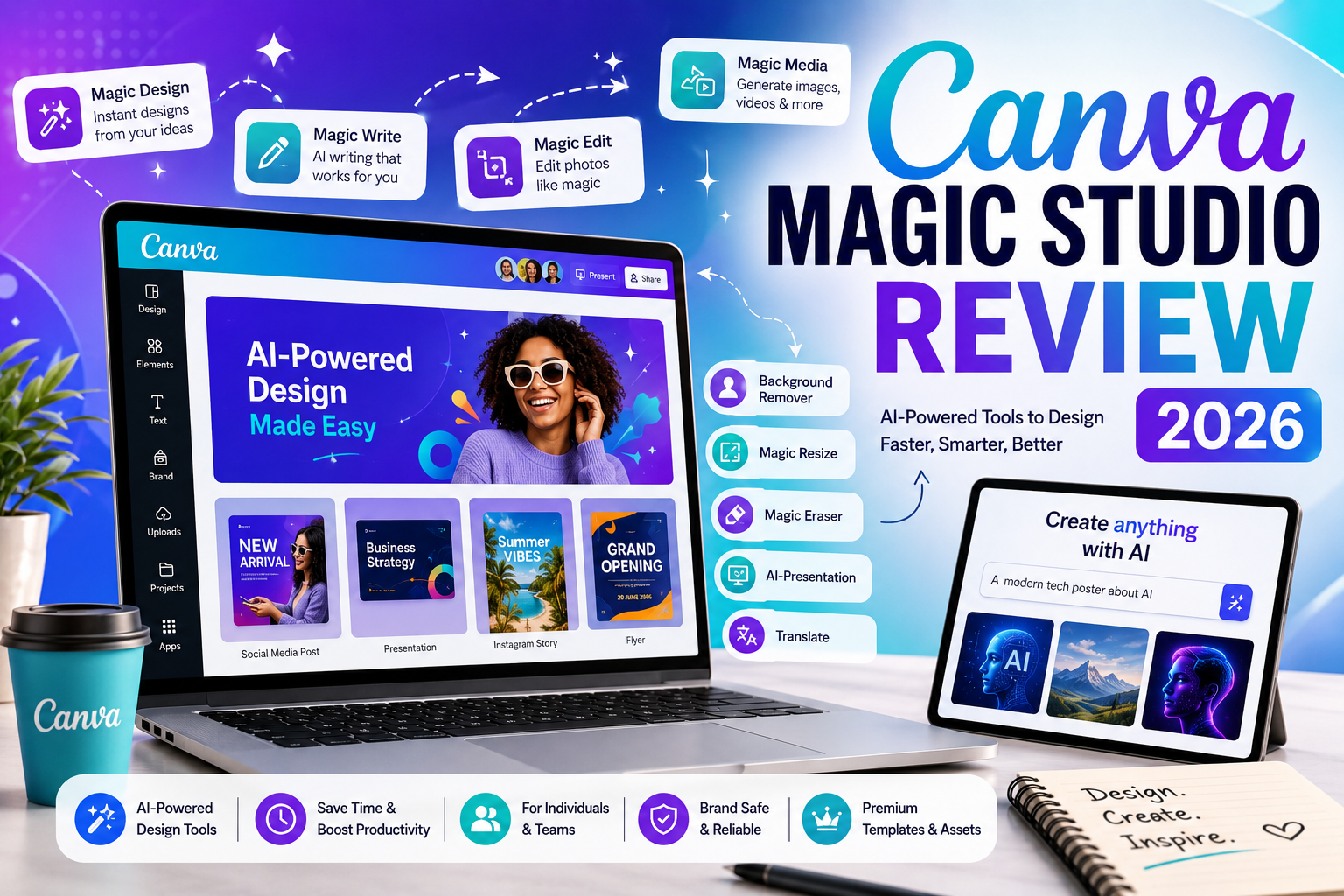
Canva Magic Studio Review (2026): Features, Pricing, AI Tools & Is It Worth It?
Introduction
Artificial intelligence is changing the way people create content, edit images, and design graphics. Instead of spending hours working with complex design software, users can now rely on AI-powered tools to generate images, remove backgrounds, resize designs, write marketing copy, and even create presentations in minutes.
Among the many AI design platforms available today, Canva Magic Studio has become one of the most popular. Built into Canva’s design platform, Magic Studio combines several AI-powered tools that help individuals, businesses, educators, marketers, and content creators work faster without requiring advanced graphic design skills.
Whether you’re creating social media posts, presentations, YouTube thumbnails, business flyers, or marketing materials, Magic Studio aims to simplify the design process through artificial intelligence.
In this review, we’ll examine:
- What Canva Magic Studio is
- Its AI-powered features
- Pricing and subscription plans
- Who can use it
- Whether it’s available in Nigeria
- Advantages and disadvantages
- Whether it’s worth paying for
This guide is based on publicly available information and practical use cases to help you make an informed decision.
What Is Canva Magic Studio?
Canva Magic Studio is a collection of artificial intelligence tools built into Canva’s online design platform. Instead of being a standalone application, Magic Studio enhances Canva’s existing editor with AI features that assist users throughout the creative process.
Magic Studio can help users:
- Generate images from text prompts
- Remove or replace backgrounds
- Resize designs instantly
- Rewrite marketing content
- Generate presentations
- Edit photos using AI
- Expand images
- Translate designs
- Create videos faster
The platform is designed to save time by automating repetitive design tasks while allowing users to refine and customize the final result.
Unlike traditional graphic design software that often requires extensive training, Canva focuses on accessibility, making its AI tools suitable for beginners and professionals alike.
Company Overview
| Information | Details |
|---|---|
| Company | Canva |
| Product | Magic Studio |
| Industry | Graphic Design & Artificial Intelligence |
| Founded | 2013 |
| Headquarters | Sydney, Australia |
| Founders | Melanie Perkins, Cliff Obrecht, Cameron Adams |
| Registration | Free account available |
| Mobile App | Android & iOS |
| Desktop Access | Web browser and desktop apps |
| AI Features | Included within Canva |
How Does Canva Magic Studio Work?
Magic Studio uses artificial intelligence to assist users with creative tasks directly inside Canva.
Instead of manually performing every editing step, users simply describe what they want or select an AI-powered option, and the platform generates suggestions automatically.
For example, users can:
- Enter a text prompt to generate an image.
- Remove unwanted objects from photos.
- Rewrite paragraphs using AI.
- Automatically resize social media graphics.
- Generate presentation slides from a short prompt.
- Translate designs into multiple languages.
Although the AI can significantly speed up the creative process, users still have full control over editing the final design before publishing or downloading it.
READ ALSO: OpenAI ChatGPT Review (2026): Features, Pricing, Safety, Pros & Cons
Key Features of Canva Magic Studio
1. Magic Design
Magic Design allows users to generate complete design layouts from simple text prompts or uploaded images.
It can automatically suggest:
- Presentation templates
- Social media graphics
- Posters
- Flyers
- Invitations
- Marketing materials
This feature is especially useful for users who need a professional starting point without designing from scratch.
2. Magic Write
Magic Write is Canva’s AI writing assistant.
It helps users create:
- Blog outlines
- Social media captions
- Product descriptions
- Emails
- Marketing copy
- Business proposals
- Video scripts
Rather than replacing human creativity, Magic Write provides a solid first draft that users can refine further.
3. Magic Media
Magic Media enables users to generate visual content using AI.
Depending on the feature selected, users can create:
- AI-generated images
- AI-generated graphics
- AI-generated videos
- AI-generated audio
This helps content creators quickly produce visual assets for websites, presentations, advertisements, and social media.
4. Magic Edit
Magic Edit allows users to modify specific parts of an image using AI.
Examples include:
- Replacing objects
- Changing clothing colors
- Editing backgrounds
- Modifying scenery
- Enhancing creative concepts
The edited areas blend into the existing image, reducing the need for manual photo editing.
5. Magic Eraser
Magic Eraser removes unwanted objects from photos.
Common uses include:
- Removing people from backgrounds
- Eliminating distracting objects
- Cleaning product photography
- Improving travel photos
This feature can save considerable editing time compared to manual retouching.
6. Background Remover
One of Canva’s most popular AI tools automatically removes image backgrounds with just a few clicks.
It’s widely used for:
- Product photography
- Online stores
- Logos
- YouTube thumbnails
- Professional profile pictures
Users can then replace the background with another image, solid color, or transparent layer.
7. Magic Resize
Magic Resize automatically adapts one design into multiple dimensions.
Instead of recreating the same design repeatedly, users can resize it for:
- TikTok
- YouTube
- Posters
- Flyers
- Presentations
This is especially useful for marketers managing campaigns across multiple platforms.
8. AI Presentation Generator
Canva can generate presentation drafts from short prompts.
Users simply describe the topic, and Canva creates:
- Slide layouts
- Suggested text
- Images
- Design themes
The generated presentation can then be customized to suit the user’s needs.
Who Should Use Canva Magic Studio?
Magic Studio is suitable for a broad range of users.
Content Creators
- YouTube thumbnails
- Instagram posts
- Blog graphics
- Pinterest pins
Small Businesses
- Marketing materials
- Product promotions
- Flyers
- Social media campaigns
Students
- School presentations
- Posters
- Infographics
- Class projects
Teachers
- Lesson materials
- Classroom presentations
- Educational worksheets
Freelancers
- Client graphics
- Brand kits
- Marketing assets
- Presentation decks
Marketing Teams
- Advertising creatives
- Campaign graphics
- Email banners
- Digital content
Supported Countries
Canva is available in most countries worldwide and supports millions of users across different regions.
Feature availability may vary depending on local regulations, licensing, or subscription level. Canva continues to expand its AI capabilities globally, so users should check the official website for the latest availability information.
Can Nigerians Use Canva Magic Studio?
Yes. Users in Nigeria can create a Canva account and use Magic Studio features, subject to Canva’s current service availability and subscription options.
Many Nigerians use Canva for:
- Graphic design
- Social media marketing
- Freelancing
- Content creation
- Business branding
- Educational projects
- Digital advertising
Free and paid plans are available, although access to certain AI features may depend on your subscription tier.
How to Create a Canva Account
Getting started with Canva is simple.
Step 1
Visit the official Canva website or download the Canva mobile app.
Step 2
Click Sign Up.
Step 3
Create an account using:
- Email address
- Google account
- Apple account
- Microsoft account (where supported)
Step 4
Verify your account if required.
Step 5
Start creating designs using Canva’s free plan or upgrade to a paid subscription for additional AI tools.
Canva Magic Studio Pricing
Canva offers multiple plans designed for individuals, professionals, teams, and organizations. Magic Studio features are available to different degrees depending on your subscription.
| Plan | Best For | Cost |
|---|---|---|
| Free | Beginners and casual users | Free |
| Canva Pro | Individuals and creators | Monthly or annual subscription |
| Canva Teams | Businesses and collaborative teams | Per-user subscription |
| Canva Enterprise | Large organizations | Custom pricing |
Some AI features are included in the free plan with usage limits, while others require a Canva Pro or Teams subscription. Pricing and feature availability may change over time, so always refer to Canva’s official pricing page for the latest details.
Canva Free vs Canva Pro
| Feature | Free | Canva Pro |
|---|---|---|
| Basic design tools | ✅ | ✅ |
| Thousands of templates | ✅ | ✅ |
| Magic Studio AI tools | Limited | Expanded access |
| Background Remover | Limited | ✅ |
| Brand Kit | ❌ | ✅ |
| Premium stock assets | ❌ | ✅ |
| Magic Resize | ❌ | ✅ |
| Team collaboration tools | Limited | Enhanced |
For casual users, Canva’s free plan provides a strong introduction to the platform. However, professionals, businesses, and frequent content creators may benefit from Canva Pro, which offers broader access to Magic Studio’s AI-powered features and premium design resources.
READ ALSO: Anthropic Claude Review (2026): Features, Pricing, Safety & Is It Worth Using?
Is Canva Magic Studio Safe?
For most users, Canva Magic Studio is generally safe to use. Canva is one of the world’s largest online design platforms and serves millions of individuals, businesses, schools, and organizations globally.
Magic Studio’s AI features are integrated directly into Canva’s platform, allowing users to generate content, edit images, and create designs without installing additional software.
However, like any cloud-based service, users should exercise caution when uploading sensitive information.
Avoid uploading:
- Confidential business documents
- Financial records
- Personal identification documents
- Passwords or login credentials
- Sensitive legal or medical files
AI-generated content should also be reviewed carefully before publishing, especially in professional, legal, medical, or financial contexts.
Important: Canva Magic Studio is a productivity and design tool. It should not be relied upon as a substitute for professional legal, medical, financial, or regulatory advice.
Privacy and Security
Canva provides account security features and privacy controls that help users manage their content and data.
Some recommended best practices include:
- Enable two-factor authentication (2FA) if available.
- Use a strong password.
- Review account permissions regularly.
- Limit access to shared team workspaces.
- Avoid storing highly sensitive information inside design projects.
For businesses and teams, Canva also offers administrative controls that can help manage access and collaboration.
As with any AI-powered platform, users should review Canva’s privacy policies and terms of service to understand how their data is handled.
User Experience
One of Canva’s biggest strengths is its user-friendly interface.
Unlike many professional design tools that require extensive training, Canva is designed for beginners while still offering enough functionality for experienced creators.
Many users appreciate:
- Drag-and-drop editing
- Fast learning curve
- Large template library
- Mobile and desktop accessibility
- AI-assisted design workflows
- Team collaboration tools
Magic Studio further improves usability by reducing the amount of manual work required for common design tasks.
For example:
- A marketer can generate social media graphics in minutes.
- A student can create a presentation from a short prompt.
- A small business owner can remove image backgrounds without learning Photoshop.
While the experience is generally smooth, some AI-generated results may require manual refinement to achieve the desired outcome.
Pros and Cons
| Pros | Cons |
|---|---|
| Beginner-friendly interface | Some AI tools require a paid subscription |
| Large collection of templates | AI-generated content may require editing |
| Powerful image editing tools | Certain advanced design tasks may still need professional software |
| AI-powered writing and design assistance | Usage limits may apply to AI features |
| Available on web and mobile devices | Internet connection required for most features |
| Strong collaboration capabilities | Premium assets are locked behind paid plans |
| Suitable for individuals and businesses | Some generated outputs can feel generic |
Tips to Get Better Results
Magic Studio performs best when users provide clear instructions and customize the generated output.
1. Use Detailed Prompts
Instead of entering:
“Create a poster”
Try:
“Create a modern restaurant grand opening poster using black, gold, and white colors with a luxury theme.”
Specific prompts usually produce better results.
2. Customize AI-Generated Designs
Treat AI-generated content as a starting point rather than a finished product.
You can improve results by:
- Adjusting colors
- Replacing images
- Editing text
- Updating layouts
- Applying brand elements
3. Use Brand Kits
Businesses should take advantage of Canva’s Brand Kit features to maintain consistency across marketing materials.
This can include:
- Logos
- Brand colors
- Fonts
- Templates
4. Combine Multiple AI Tools
Many users achieve better results by combining several Magic Studio features.
For example:
- Generate a design with Magic Design.
- Use Magic Write for copy.
- Remove backgrounds with Background Remover.
- Resize the design using Magic Resize.
5. Review Everything Before Publishing
Always check:
- Grammar
- Branding consistency
- Image quality
- Accuracy of claims
- Design alignment
AI can accelerate the process, but human review remains important.
Common Mistakes to Avoid
Many beginners expect AI-generated designs to be perfect immediately.
Avoid these common mistakes:
1. Using Very Short Prompts
Short prompts often produce generic results.
2. Publishing Without Editing
AI-generated content typically benefits from some level of customization.
3. Ignoring Brand Consistency
Businesses should ensure designs match their visual identity.
4. Overusing AI Features
Not every design task requires AI. Sometimes manual adjustments produce better results.
5. Uploading Sensitive Information
Avoid sharing confidential files or proprietary business information unnecessarily.
Canva Magic Studio vs ChatGPT vs Adobe Firefly vs Microsoft Designer
Each platform focuses on different strengths.
| Feature | Canva Magic Studio | ChatGPT | Adobe Firefly | Microsoft Designer |
|---|---|---|---|---|
| Graphic Design | ⭐⭐⭐⭐⭐ | ⭐⭐☆☆☆ | ⭐⭐⭐⭐☆ | ⭐⭐⭐⭐☆ |
| AI Writing | ⭐⭐⭐⭐☆ | ⭐⭐⭐⭐⭐ | ⭐⭐☆☆☆ | ⭐⭐⭐☆☆ |
| Image Editing | ⭐⭐⭐⭐⭐ | ⭐☆☆☆☆ | ⭐⭐⭐⭐⭐ | ⭐⭐⭐⭐☆ |
| Presentation Creation | ⭐⭐⭐⭐⭐ | ⭐⭐⭐⭐☆ | ⭐⭐☆☆☆ | ⭐⭐⭐⭐☆ |
| Marketing Content | ⭐⭐⭐⭐⭐ | ⭐⭐⭐⭐⭐ | ⭐⭐⭐☆☆ | ⭐⭐⭐⭐☆ |
| Beginner Friendly | ⭐⭐⭐⭐⭐ | ⭐⭐⭐⭐⭐ | ⭐⭐⭐☆☆ | ⭐⭐⭐⭐☆ |
| Team Collaboration | ⭐⭐⭐⭐⭐ | ⭐⭐⭐☆☆ | ⭐⭐⭐☆☆ | ⭐⭐⭐☆☆ |
Which One Should You Choose?
Choose Canva Magic Studio if you need:
- Graphic design
- Social media content
- Presentations
- Marketing materials
- Brand management
Choose ChatGPT if you need:
- Writing assistance
- Research support
- Coding help
- Brainstorming
Choose Adobe Firefly if you need:
- Advanced creative workflows
- Professional image generation
- Adobe ecosystem integration
Choose Microsoft Designer if you need:
- AI-assisted designs within Microsoft’s ecosystem
- Simple marketing visuals
- Quick social media content
Many professionals use multiple tools together depending on the project.
Expert Opinion
After evaluating Canva Magic Studio’s features, usability, and practical applications, it is clear that Canva has successfully integrated AI into a platform that remains accessible to everyday users.
The biggest strengths of Magic Studio include:
- Ease of use
- Time savings
- Strong design automation
- Integrated AI writing tools
- Efficient image editing
- Excellent collaboration features
Unlike standalone AI tools that focus on a single capability, Magic Studio brings multiple creative functions together inside one platform.
For beginners, Canva removes many of the barriers traditionally associated with graphic design. For businesses and content creators, it can significantly reduce production time for everyday marketing and branding tasks.
While advanced designers may still prefer specialized software for highly complex projects, Canva Magic Studio delivers substantial value for the majority of users.
Final Verdict
Canva Magic Studio is one of the most practical AI-powered creative platforms available today.
Its combination of design tools, AI writing assistance, image editing capabilities, and workflow automation makes it useful for students, educators, freelancers, marketers, entrepreneurs, and businesses.
The free plan offers enough functionality for many users, while Canva Pro unlocks additional AI features that can improve productivity and design quality.
Who should use Canva Magic Studio?
- Content creators
- Social media managers
- Small business owners
- Freelancers
- Students
- Teachers
- Marketing teams
- Entrepreneurs
If your goal is to create professional-looking content quickly without mastering complex design software, Canva Magic Studio is well worth considering.
Frequently Asked Questions (FAQs)
1. What is Canva Magic Studio?
Canva Magic Studio is a collection of AI-powered tools integrated into Canva that help users create, edit, and enhance designs more efficiently.
2. Is Canva Magic Studio free?
Yes. Some Magic Studio features are available through Canva’s free plan, while advanced capabilities may require a Canva Pro or Teams subscription.
3. Can Nigerians use Canva Magic Studio?
Yes. Canva and its AI-powered features are available to users in Nigeria, subject to Canva’s current availability and service terms.
4. Does Canva Magic Studio generate images?
Yes. Magic Studio includes AI-powered image generation tools that can create visuals from text prompts.
5. Can Canva Magic Studio write content?
Yes. Canva’s Magic Write feature can help generate blog outlines, marketing copy, emails, captions, and other written content.
6. Is Canva Magic Studio good for small businesses?
Yes. Many small businesses use Canva for branding, social media marketing, presentations, advertising, and promotional materials.
7. Does Canva Magic Studio work on mobile devices?
Yes. Canva is available on Android and iOS devices, allowing users to access many Magic Studio features on mobile.
8. Can Canva replace Photoshop?
For many everyday design tasks, Canva may be sufficient. However, professional designers working on advanced projects may still prefer specialized software such as Adobe Photoshop.
9. Is Canva Magic Studio safe?
Generally, yes. Canva provides security and privacy controls, but users should avoid uploading highly sensitive or confidential information.
10. Is Canva Pro worth it?
For frequent content creators, marketers, and businesses, Canva Pro can provide significant value through access to premium templates, assets, and advanced AI-powered features.

Comments are closed.