

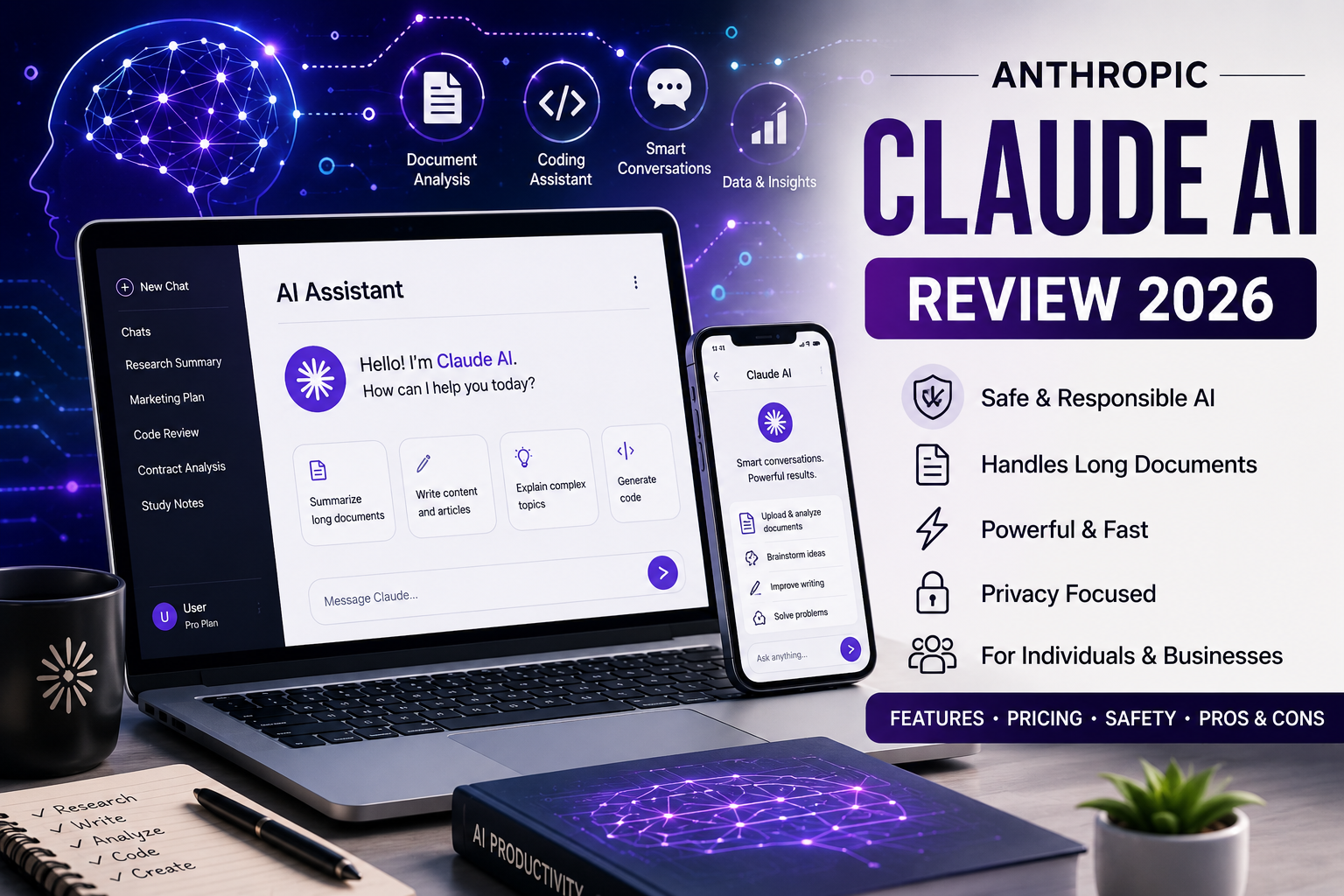
Anthropic Claude Review (2026): Features, Pricing, Safety & Pros and Cons
Introduction
Artificial intelligence has become an essential productivity tool for students, professionals, developers, researchers, and businesses. While several AI assistants compete in this rapidly evolving market, Claude, developed by Anthropic, has earned a strong reputation for its thoughtful responses, long-context capabilities, and focus on AI safety.
Claude is designed to help users write content, analyze documents, generate code, summarize information, brainstorm ideas, and solve complex problems through natural conversation. Its emphasis on reliable reasoning and responsible AI development has made it a popular choice for individuals and organizations alike.
If you’re considering using Claude, you may be wondering:
- What exactly is Claude AI?
- Is it free to use?
- Can people in Nigeria access it?
- Is it better than ChatGPT or Google Gemini?
- Is Claude safe and trustworthy?
This guide provides a balanced, research-based review to help you decide whether Claude is the right AI assistant for your needs.
What Is Claude AI?
Claude is a conversational artificial intelligence assistant developed by Anthropic, an AI research company founded in 2021 by former OpenAI researchers. Anthropic focuses on building AI systems that are helpful, honest, and designed with safety in mind.
Claude can understand natural language and assist with a wide variety of tasks, including:
- Writing articles and emails
- Coding and debugging
- Summarizing long documents
- Brainstorming ideas
- Research assistance
- Data analysis
- Language translation
- Business productivity
One of Claude’s standout features is its ability to work with very large documents and maintain context across lengthy conversations, making it particularly useful for researchers, developers, legal professionals, and knowledge workers.
Company Overview
| Information | Details |
|---|---|
| Company | Anthropic |
| Product | Claude |
| Industry | Artificial Intelligence |
| Founded | 2021 |
| Headquarters | San Francisco, California, USA |
| Founders | Dario Amodei, Daniela Amodei and team |
| Registration | Free account available |
| Mobile App | Android and iOS |
| Desktop Access | Web and desktop applications |
| API Available | Yes |
READ ALSO: OpenAI ChatGPT Review (2026): Features, Pricing, Safety, Pros & Cons
How Does Claude Work?
Claude is powered by large language models (LLMs) trained to understand and generate human-like text. Instead of simply retrieving information from a search engine, Claude predicts responses based on your prompt, previous conversation context, and—where enabled—connected tools such as web search.
It can assist with:
- Writing and editing
- Programming
- Document analysis
- Research
- Mathematics
- Brainstorming
- Business planning
- Educational support
Like all AI assistants, Claude can occasionally make mistakes or produce incomplete information. Important legal, financial, medical, or technical advice should always be verified using authoritative sources.
Key Features of Claude
1. Excellent Long-Document Analysis
Claude is well known for handling lengthy documents efficiently.
Users frequently upload:
- PDFs
- Research papers
- Contracts
- Financial reports
- Books
- Technical documentation
Claude can summarize, explain, compare, and extract information from these documents, making it valuable for professionals working with large amounts of text.
2. Writing Assistance
Claude helps users create and improve written content, including:
- Blog posts
- Reports
- Emails
- Product descriptions
- Marketing copy
- Academic drafts
- Business proposals
Its writing style is often praised for sounding natural and coherent, especially during long-form editing.
3. Coding Support
Developers use Claude to:
- Generate code
- Debug applications
- Explain programming concepts
- Review code quality
- Learn new programming languages
- Create scripts and automation
Claude supports many popular programming languages and is widely used for software development workflows.
4. Research Assistance
Claude can help users:
- Summarize articles
- Organize notes
- Compare information
- Explain technical concepts
- Create study guides
It works best as a research assistant rather than a replacement for primary sources.
5. Business Productivity
Many professionals use Claude for:
- Meeting summaries
- Strategic planning
- Brainstorming
- Customer communication
- Documentation
- Workflow automation
Organizations also integrate Claude through its API for internal tools and customer-facing applications.
Who Can Use Claude?
Claude is suitable for a wide variety of users.
Students
- Homework support
- Study notes
- Exam preparation
- Concept explanations
Professionals
- Report writing
- Email drafting
- Research
- Documentation
Developers
- Coding
- Debugging
- Code reviews
- Technical documentation
Content Creators
- Blog writing
- Video scripts
- SEO content
- Social media ideas
Businesses
- Customer support
- Internal knowledge management
- Data analysis
- Productivity automation
Supported Countries
Claude is available in many countries and regions, although availability can vary due to local regulations and service updates.
Anthropic periodically expands regional access, so users should check the official availability information before registering.
Can Nigerians Use Claude?
Yes. Users in Nigeria can access Claude if the service is available in their region and they meet Anthropic’s account requirements.
Nigerian users commonly use Claude for:
- Software development
- Academic research
- Content writing
- Freelancing
- Business planning
- Learning new skills
- Marketing
- Productivity
Availability of paid subscriptions and payment methods may change over time, so it’s advisable to review Anthropic’s official pricing page before subscribing.
How to Create a Claude Account
Getting started with Claude is straightforward.
Step 1
Visit the official Claude website.
Step 2
Click Sign Up.
Step 3
Create an account using a supported email address or available sign-in method.
Step 4
Complete any required verification steps.
Step 5
Start chatting with Claude through the web interface or supported mobile apps.
New users can begin with the free plan and upgrade later if they need higher usage limits or additional features.
READ ALSO: How to Redeem an Amazon Gift Card to a Bank Account (Safe & Legal Guide)
Claude Pricing
Anthropic offers several subscription tiers for individuals and organizations. The free plan provides access to core capabilities, while paid plans include higher usage limits and additional features such as more models, research tools, and enhanced productivity options. Current individual plans include:
| Plan | Best For | Pricing* |
|---|---|---|
| Free | Casual users | Free |
| Pro | Everyday professionals | $20/month or $17/month when billed annually |
| Max | Heavy users | Starts at $100/month |
| Team | Collaborative organizations | Team pricing |
| Enterprise | Large businesses | Custom pricing |
*Pricing and plan features are subject to change. Always confirm the latest information on Anthropic’s official pricing page.
Free vs Paid Claude
| Feature | Free | Pro / Max |
|---|---|---|
| Basic AI chat | ✅ | ✅ |
| Web access and core features | ✅ | ✅ |
| Higher usage limits | ❌ | ✅ |
| Access to additional Claude models | Limited | ✅ |
| Research and advanced productivity tools | Limited | ✅ |
| Priority access during busy periods | ❌ | ✅ |
For occasional users, the free plan is often sufficient. Users who rely on Claude daily for writing, coding, research, or business tasks may benefit from a paid subscription because of the increased usage allowances and expanded feature set.
Is Claude AI Safe?
One of Anthropic’s primary goals is to develop AI systems that are helpful, honest, and safe. Claude was designed with an emphasis on reducing harmful or misleading responses while remaining useful across a wide range of tasks.
For everyday activities such as writing, coding, brainstorming, studying, and document analysis, Claude is generally considered safe to use. However, like any AI assistant, it is not perfect and should not be treated as an unquestionable authority.
To protect your privacy, avoid sharing:
- Passwords
- Banking information
- Government-issued identification numbers
- Medical records
- Confidential business documents
- Private legal information
Even when using AI for drafting or analysis, it’s a good idea to remove personal or sensitive information whenever possible.
Important: Claude is an AI assistant, not a licensed lawyer, doctor, accountant, or financial adviser. Always verify important advice with qualified professionals or official sources.
Privacy and Data Security
Privacy is an important consideration when choosing any AI assistant.
Anthropic provides account controls and privacy settings that allow users to manage aspects of their experience. Depending on the product and account settings, users may have options related to conversation history and data usage. Since these features may evolve over time, it’s worth reviewing your account settings periodically.
Here are a few best practices:
- Review your privacy settings after creating an account.
- Avoid uploading confidential files unless necessary.
- Verify AI-generated information before relying on it.
- Use strong, unique passwords and enable additional security features when available.
- Log out of shared or public devices after each session.
These habits help reduce privacy risks regardless of which AI platform you use.
User Experience
Claude has earned praise for its clean interface and thoughtful responses. Many users appreciate its ability to maintain context during long conversations and its strong performance when working with lengthy documents.
Some of the features users commonly highlight include:
- Clear, natural writing style
- Strong document summarization
- Helpful explanations for technical topics
- Reliable coding assistance
- Easy-to-use interface
- Support for web and mobile access
Like all AI assistants, Claude also has some limitations:
- Responses may occasionally contain factual inaccuracies.
- Some advanced capabilities are reserved for paid plans.
- Usage limits vary depending on your subscription.
- Performance can depend on the complexity of the prompt.
Overall, Claude provides a polished experience for users looking for an AI assistant focused on productivity, research, and long-form content.
Pros and Cons
| Pros | Cons |
|---|---|
| Natural, easy-to-read responses | Can occasionally generate inaccurate information |
| Strong long-document analysis | Advanced features require a paid subscription |
| Excellent writing assistance | Usage limits vary by plan |
| Helpful coding support | AI responses should always be fact-checked |
| Clean and intuitive interface | May not replace specialized professional software |
| Available across multiple platforms | Feature availability can change over time |
Tips to Get Better Results
Claude performs best when your prompts are specific and include enough context.
Here are some practical tips:
1. Be Specific
Instead of asking:
“Write an article.”
Try:
“Write a 1,200-word beginner-friendly article explaining fiber internet in Nigeria with comparison tables and FAQs.”
Specific prompts produce more focused and useful responses.
2. Provide Context
Explain your audience, goals, and preferred format.
For example:
- Target audience
- Desired tone
- Word count
- Formatting requirements
- Examples to follow
3. Break Complex Tasks into Steps
Rather than asking Claude to complete an entire project at once, split it into manageable sections.
Example:
- Research
- Outline
- First draft
- Editing
- SEO optimization
4. Request Revisions
Claude can refine existing work.
Ask it to:
- Simplify explanations
- Improve grammar
- Make content more engaging
- Shorten paragraphs
- Add examples
5. Verify Important Information
Always confirm important facts, especially for:
- Health
- Finance
- Legal advice
- Tax matters
- Scientific claims
Common Mistakes to Avoid
Many new users expect AI to produce flawless answers on the first attempt.
Avoid these common mistakes:
- Treating every response as fact.
- Using vague or incomplete prompts.
- Uploading confidential information.
- Skipping fact-checking before publishing.
- Expecting AI to replace professional expertise.
- Ignoring updates to AI features and pricing.
Learning how to write clear prompts will significantly improve your experience.
Claude vs ChatGPT vs Google Gemini
Choosing the best AI assistant depends on your needs. Each platform has its own strengths.
| Feature | Claude | ChatGPT | Google Gemini |
|---|---|---|---|
| Long-document analysis | ⭐⭐⭐⭐⭐ | ⭐⭐⭐⭐☆ | ⭐⭐⭐⭐☆ |
| Writing quality | ⭐⭐⭐⭐⭐ | ⭐⭐⭐⭐⭐ | ⭐⭐⭐⭐☆ |
| Coding assistance | ⭐⭐⭐⭐☆ | ⭐⭐⭐⭐⭐ | ⭐⭐⭐⭐☆ |
| Research support | ⭐⭐⭐⭐⭐ | ⭐⭐⭐⭐☆ | ⭐⭐⭐⭐⭐ |
| Google Workspace integration | No | No | Yes |
| Microsoft ecosystem integration | No | Limited | No |
| Beginner-friendly interface | Excellent | Excellent | Very Good |
Which one should you choose?
- Claude: Excellent for long-form writing, document analysis, and thoughtful explanations.
- ChatGPT: A versatile all-round AI assistant with a broad feature set and strong coding capabilities.
- Google Gemini: A strong choice for users deeply integrated into Google’s ecosystem.
Many professionals use more than one AI assistant, selecting the best tool for each task.
Expert Opinion
After reviewing Claude’s features, usability, safety focus, and practical applications, it stands out as one of the leading AI assistants available today.
Its strongest advantages include:
- High-quality writing
- Excellent document analysis
- Strong reasoning capabilities
- User-friendly interface
- Emphasis on responsible AI development
Claude is particularly well suited for writers, researchers, students, developers, and business professionals who frequently work with long documents or need detailed explanations.
While it is an impressive productivity tool, users should remember that AI-generated content still requires human review. Verifying important information remains essential, especially for professional or high-stakes decisions.
For occasional users, the free plan offers a practical introduction. Those who rely on AI daily for work or study may find value in upgrading to a paid subscription for increased usage limits and additional features.
Final Verdict
Anthropic Claude has established itself as one of the most capable AI assistants on the market. Its combination of natural language understanding, long-context processing, and commitment to responsible AI development makes it a compelling option for both individuals and organizations.
Whether you need help drafting reports, analyzing lengthy documents, writing code, or organizing research, Claude delivers a reliable and intuitive experience.
That said, no AI assistant is perfect. Users should always verify critical information and avoid relying solely on AI for decisions involving health, law, finance, or safety.
Who should consider Claude?
- Students seeking study support
- Writers and editors producing long-form content
- Developers looking for coding assistance
- Researchers working with extensive documents
- Businesses aiming to improve productivity
If your work involves substantial reading, writing, or analysis, Claude is well worth exploring.
Frequently Asked Questions (FAQs)
1. Is Claude AI free to use?
Yes. Anthropic offers a free plan that provides access to Claude’s core features. Paid plans are available for users who need higher usage limits and additional capabilities.
2. Can Nigerians use Claude?
Yes. Claude is available in Nigeria, subject to Anthropic’s current regional availability and account requirements.
3. Is Claude AI safe?
Generally, yes. Claude is designed with a strong focus on AI safety, but users should still avoid sharing sensitive information and verify important responses independently.
4. Who owns Claude AI?
Claude is developed by Anthropic, an artificial intelligence research company founded in 2021 by former OpenAI researchers.
5. Can Claude write code?
Yes. Claude supports many programming languages and can help generate, explain, debug, and review code.
6. Does Claude support document uploads?
Yes. Claude can analyze and summarize supported document types, making it useful for research, contracts, reports, and technical documentation.
7. Is Claude better than ChatGPT?
Neither is universally better. Claude excels at long-document analysis and thoughtful writing, while ChatGPT offers a broader ecosystem and extensive productivity features. The best choice depends on your workflow and preferences.
8. Can businesses use Claude?
Yes. Anthropic offers Team and Enterprise plans designed for organizations that need collaboration, security, and scalable AI solutions.
9. Does Claude have a mobile app?
Yes. Claude is available through official mobile apps for Android and iOS, alongside its web interface.
10. Is Claude worth paying for?
If you regularly use AI for writing, coding, document analysis, or research, a paid Claude plan may provide good value through higher usage limits and access to additional features.

Comments are closed.